

How to Pay in China: Alipay, WeChat Pay or TenPayGo?
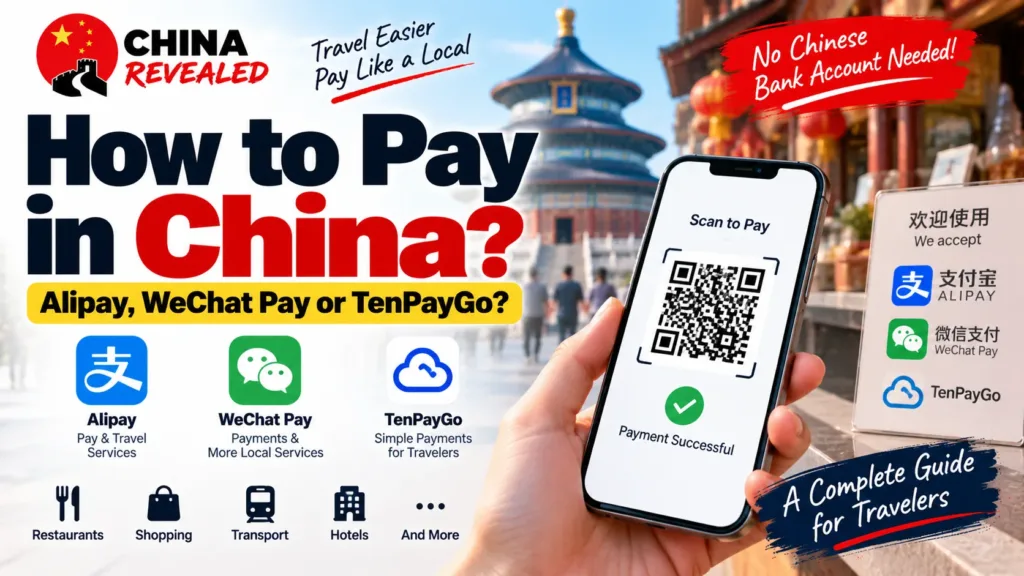
You can pay in mainland China with an eligible foreign bank card through Alipay, WeChat Pay or TenPayGo. You do not need to open a Chinese bank account for their basic visitor-payment routes. The useful question is not whether you must install all three. It is which one fits your trip—and what you will use if your first choice does not work.
For most first-time visitors, we recommend Alipay for payments and travel tools, with TenPayGo as a simpler way to use supported Weixin Pay merchant checkouts. Add WeChat Pay if you also want hotel chats, restaurant mini programs and more of China’s local services. If you already have a working WeChat account and wallet, there is no need to start again just because another app exists.
This page helps you choose. Our three detailed guides take you through registration, payment setup and the actual screens:
- Alipay guide for foreigners — everyday payments, public transport and useful travel services.
- TenPayGo guide for foreigners — a simpler, payment-first route without creating a WeChat account.
- WeChat Pay guide for foreigners — payments alongside messaging and local mini programs.
In this guide
- Which payment app should you set up first?
- Do you need all three apps?
- What should you prepare before flying?
- How does paying at a shop actually work?
- What fees should you expect?
- Can you use bank cards and cash instead?
- If a payment fails, what should you do first?
- Ready to set up your payment method?
Which payment app should you set up first?
Alipay: the practical starting point for a first trip
Alipay is a good first choice if you want one app that can help with paying for lunch and finding the travel services you will actually use. Its international interface brings together merchant payments and access to services such as city transport, DiDi, hotel bookings and food delivery.
You register with a mobile number, complete the identity checks requested in your account and link an eligible overseas card. An international number that receives verification messages can be used for the basic setup; you do not have to wait until you buy a Chinese SIM.
The advantage is convenience beyond the checkout. You can look for a city’s transport code or open a ride service without downloading a separate app for everything. Those services still have their own requirements: a working Alipay payment does not automatically activate every metro code, bike rental or delivery mini program.
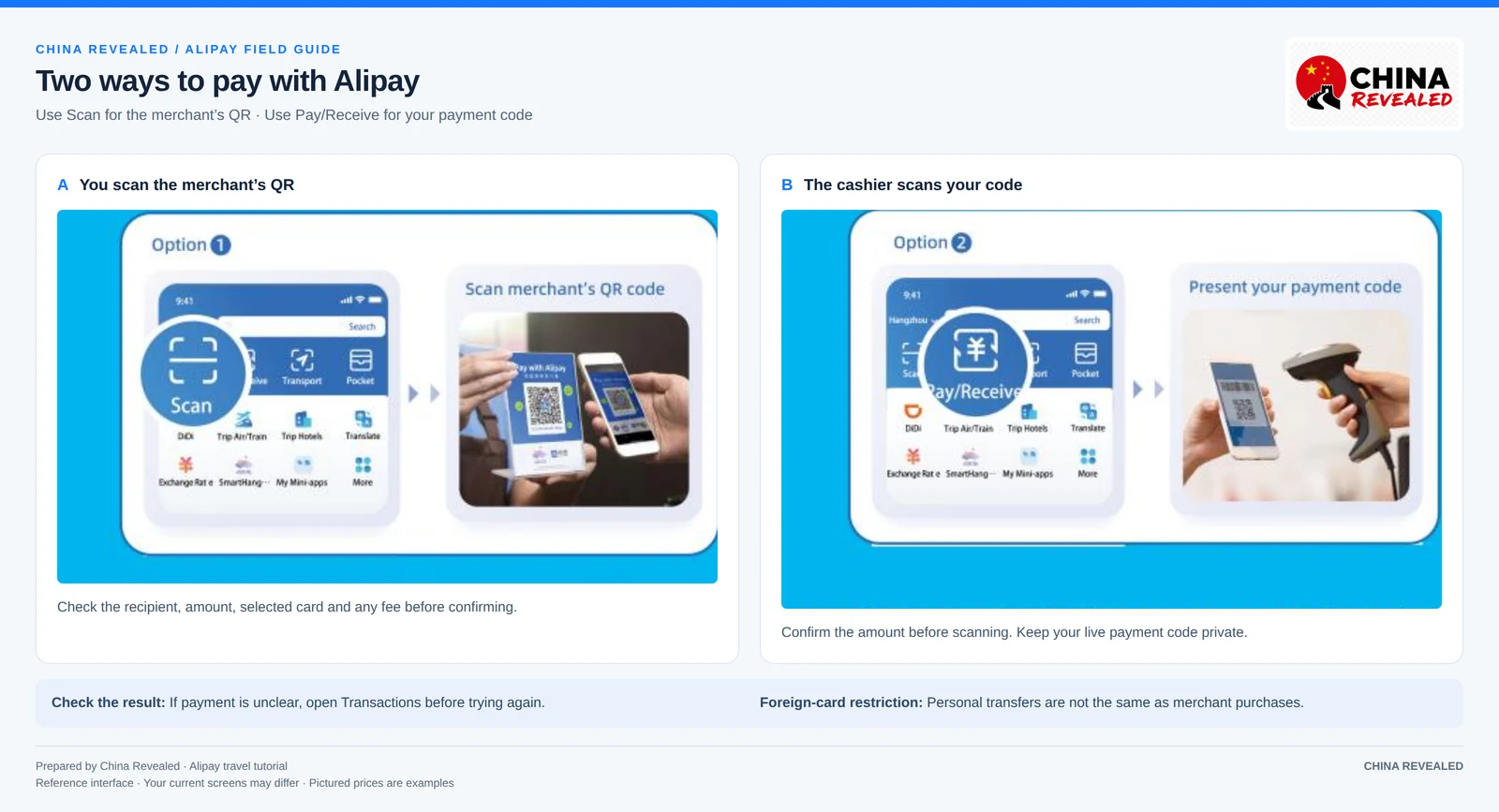
Read the full Alipay setup and travel guide for phone registration, passport checks, foreign-card linking, payment fees and the travel features worth learning first.
TenPayGo: the simpler route when you mainly want to pay
TenPayGo is Tencent’s visitor-focused payment app. It gives you a separate way to use supported Weixin Pay merchant payments—the mainland service commonly called WeChat Pay—without setting up WeChat’s messaging and social account first.
The setup in our existing walkthrough starts with email registration. You then add an eligible international card, use the Apple Pay route on a supported iPhone, or connect an overseas wallet offered to your account. You still need to complete any bank or wallet verification, and additional personal-information checks may be requested.
For a short visit, the appeal is straightforward: less account setup between you and a merchant payment. You do not need WeChat friends or Moments just to buy a coffee. It can be your main merchant-payment app if your chosen source works at the businesses you use.
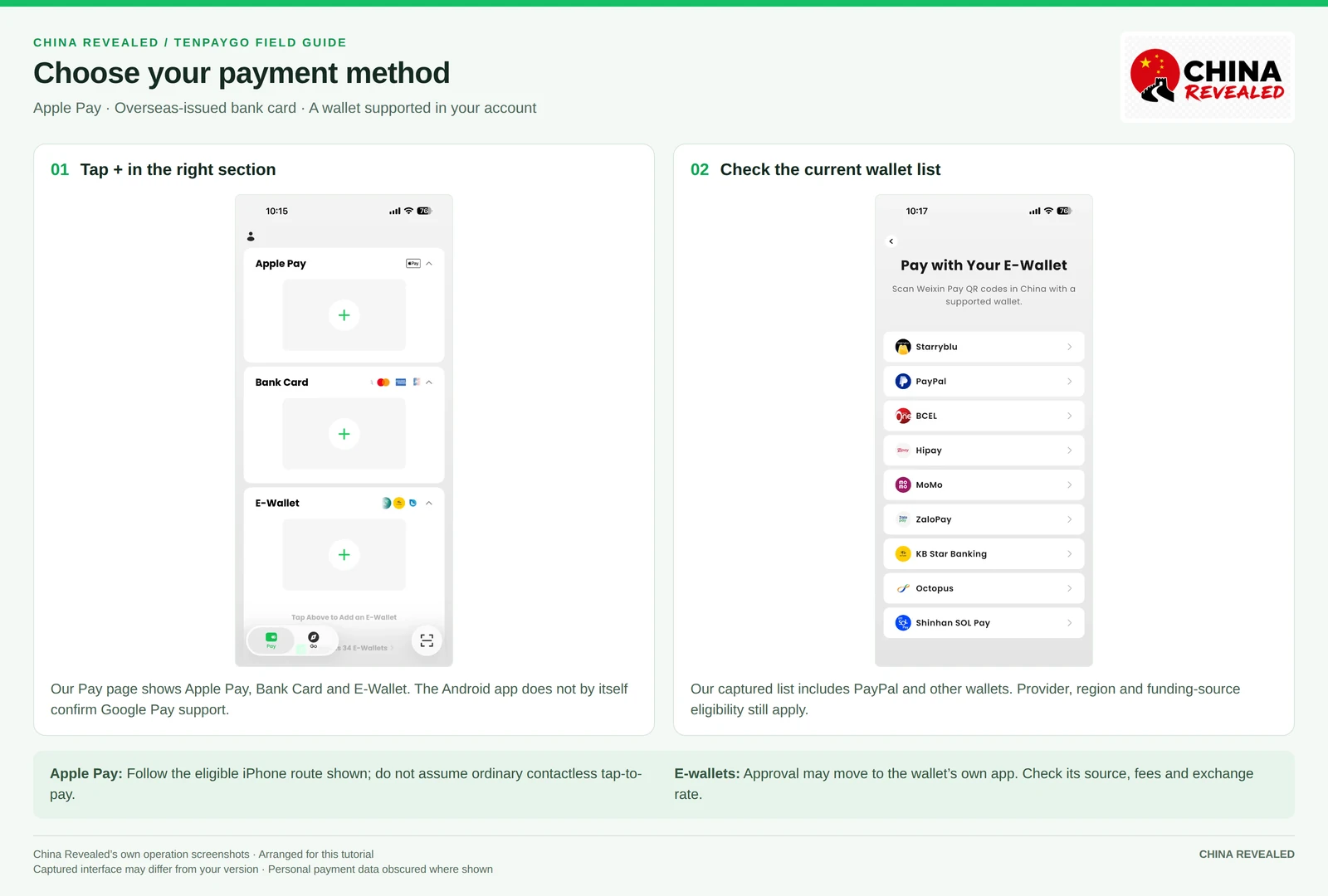
Do not confuse access to a merchant-payment network with access to every WeChat service. A restaurant’s table QR may open a WeChat ordering mini program rather than a payment screen. In that case, ask for a menu or order at the counter, then request the merchant’s supported payment code. TenPayGo also does not replace WeChat chats, personal transfers or red packets.
Read the full TenPayGo guide for email registration, card and Apple Pay setup, supported-wallet checks, both QR methods and troubleshooting.
WeChat Pay: worth setting up for the wider WeChat experience
WeChat Pay makes the most sense when you want more than a payment button. WeChat can help you message your hotel, keep in touch with a guide, translate routine chat messages and open restaurant or travel mini programs.
For a new user, it can involve more setup than TenPayGo. First comes WeChat registration with a mobile number and the security checks offered to your account. Some users need registration assistance; others do not. Payment activation, identity checks and foreign-card linking are separate steps after that. Being able to send a message does not mean your wallet is ready to pay.
The extra effort can be worthwhile for an independent or longer trip, especially if people you need to contact already use WeChat. Our “power-user” description refers to that wider use, not an official account tier.
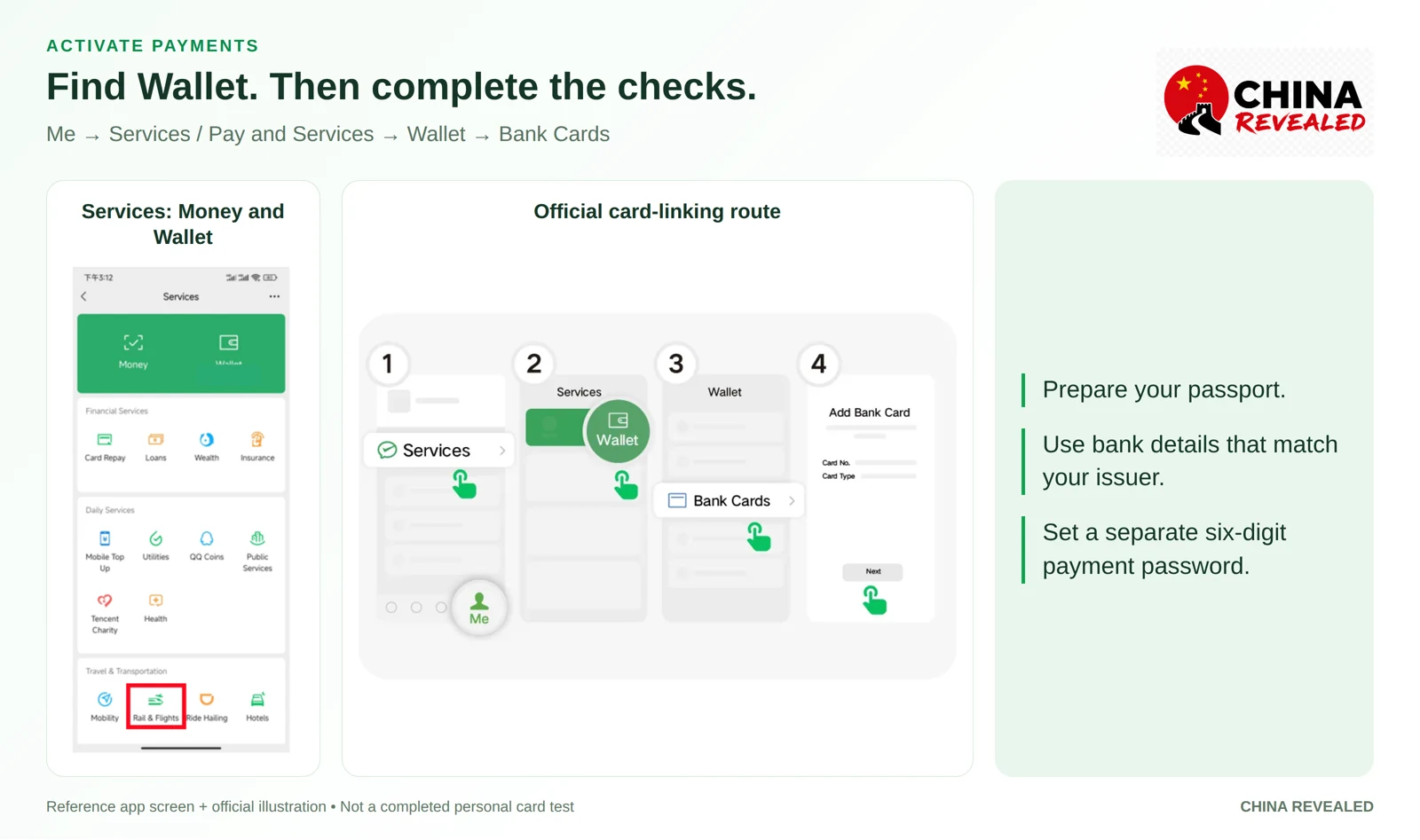
Read the full WeChat Pay guide for account registration, possible friend verification, wallet activation, fees, message translation and local services.
Do you need all three apps?
No. Get one method ready before your flight, then add a useful backup rather than learning three complete systems at once.
For a first trip with sightseeing and city transport, Alipay plus TenPayGo is a sensible combination: Alipay for broader travel tools, TenPayGo for simpler supported Weixin Pay merchant purchases. If you already use WeChat or want its chats and mini programs, Alipay plus WeChat Pay may fit you better.
TenPayGo and WeChat Pay both use Tencent’s Weixin Pay merchant network. Having both can help with different account or setup problems, but they are not two independent payment networks. Another app also cannot fix a card issuer that declines the same card everywhere. A second eligible card from a different issuer, if you have one, and some RMB cash provide a more useful backup.
Book hotels, flights, train tickets, attractions and other travel services on Trip.com.
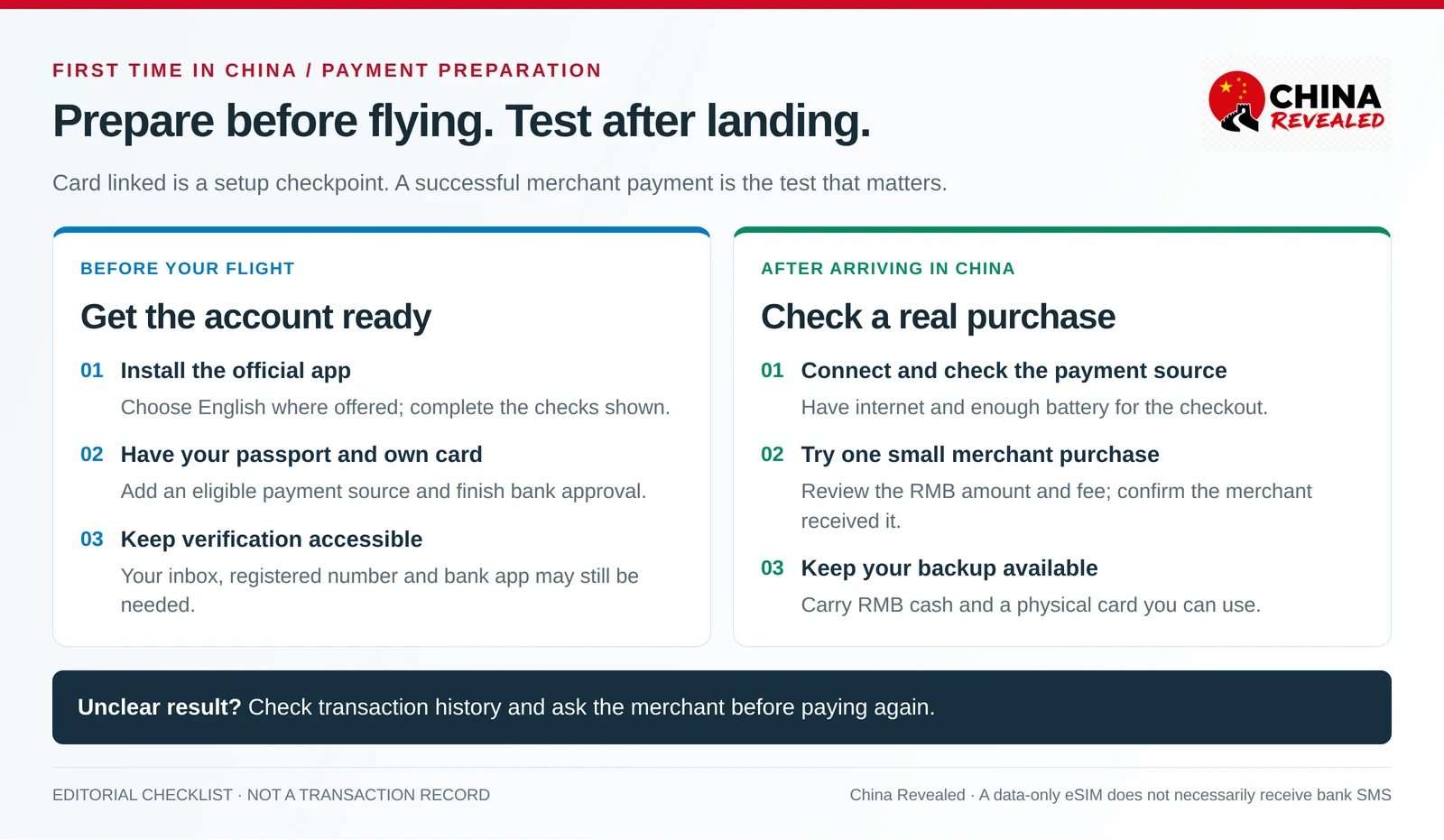
What should you prepare before flying?
Have your passport, your own eligible credit or debit card, and access to your bank’s verification channel. For Alipay and WeChat, keep the registered mobile number available to receive messages. For TenPayGo’s email route, keep access to your inbox as well as any bank verification.
A data-only travel eSIM (compare options in our China SIM vs eSIM guide) gets you online; it does not necessarily give you a callable number or receive the SMS sent to your usual bank number. Decide how you will keep that original number reachable before leaving home.
Install the official apps, choose English where offered, complete the requested checks and confirm your payment source appears in the account. Do not assume the main app’s English setting translates every mini program. Once in China, make a small eligible merchant purchase before relying on the setup for a larger bill. Our first day in China guide covers what else to sort out between the airport and your hotel.
How does paying at a shop actually work?
Most QR checkouts follow one of two patterns. You scan the merchant’s code, review or enter the amount in RMB, check the payment source and confirm. Or the cashier scans your live payment code, which you open inside your chosen app after agreeing on the bill.
In Alipay, look for Scan or Pay/Receive. In WeChat, common routes are + → Scan and + → Money. TenPayGo provides scanning and payment-code options for supported sources; the linked-card walkthrough uses Pay code. Use the current labels in your app if the layout differs.
For a RMB 28 bill, enter 28, not the approximate amount in your home currency. Check the recipient, selected card and any fee. Stay until the app and merchant can confirm payment. A linked card or a pending bank entry alone is not proof that the merchant received the money.
Keep your live payment code private and close it when you finish. Do not post it in a travel group or send it to someone offering account help. Never share a payment PIN, SMS code or card security code with a cashier.
Why can a QR code still fail?
A QR code may be a restaurant menu, a contact card or a personal-transfer request rather than an eligible merchant checkout. Linked international cards are for supported merchant purchases, not ordinary person-to-person transfers or red packets. TenPayGo’s basic payment service has the same merchant-purchase focus.
Ask whether the business has a supported merchant payment code. You can show “请给我商家收款码,我扫码付款。” — “Please show me your merchant payment code; I’ll scan to pay.” If that route is unavailable, use another accepted method rather than repeatedly scanning the same code.
What fees should you expect?
For Alipay and WeChat Pay linked-card purchases, the usual rule is no platform transaction fee on small purchases up to RMB 200, with a 3% fee on the full amount for purchases above RMB 200, unless an applicable offer changes it. A RMB 300 purchase with that fee adds RMB 9—not RMB 3 on just the part above the threshold.
As checked on October 13, 2026, Tencent has announced a 90-day international-card processing-fee waiver for eligible first-time WeChat users, starting with their first transaction and covering spending up to RMB 1,000 per day under the offer’s terms. Check the offer on your account; do not assume the same promotion applies to TenPayGo or Alipay.
For TenPayGo, check the fee shown for your selected card, Apple Pay or connected-wallet route. Its card-service terms make the displayed charging rules authoritative; an overseas wallet can have different fees and exchange-rate terms. A simpler app does not automatically mean a cheaper payment.
Your card issuer may charge separately for foreign transactions or currency conversion. For a large hotel or shopping bill, compare the final app total with the merchant’s accepted card or cash options. Check account limits too; a maximum quoted in a guide is not your guaranteed available limit. The individual tutorials explain fees and refunds in more detail.
Can you use bank cards and cash instead?
Yes. China is not a place where tourists are required to use only phone payments. RMB cash and physical bank cards remain useful, even if QR payment is more convenient for many everyday purchases.
International-card acceptance is not universal. Ask a hotel or shop whether it accepts your card network, particularly before relying on it for a large bill. A business accepting your card through Alipay or WeChat Pay does not necessarily have a terminal that accepts the same physical card.
For cash, use an authorized exchange service or withdraw RMB at an ATM showing your card network’s logo. Check your bank’s withdrawal fees and limits. Keep some smaller notes for ordinary purchases; the right reserve depends on your itinerary, not a fixed amount every visitor must carry. Cash is especially helpful when your phone battery, connection or account is the problem, though an online booking may still require another accepted checkout method.
Does Apple Pay work everywhere in China?
Do not assume that your usual overseas Apple Wallet card can be tapped at every checkout. TenPayGo’s eligible Apple Pay route operates through the payment flow it offers; that is different from universal NFC contactless acceptance. Google Play availability likewise does not establish Google Pay support. Use the method actually available on your device and transaction.
If a payment fails, what should you do first?
Identify the stage: registration, identity verification, card linking, bank approval or the merchant purchase. Read the actual message. If the card linked but the purchase failed, check that it is selected, the checkout supports it and the issuer has not blocked the transaction.
If the result is unclear, check the app’s transaction history and ask the merchant to confirm receipt before paying again. A bank entry may be a pending authorization rather than a settled purchase. Keep the amount, time, order number and receipt for the merchant, app support or card issuer.
At a busy counter, use your working backup and resolve the failed method afterward. If both your primary and backup payment sources are blocked, do not keep authorizing repeated attempts. The troubleshooting sections in the three guides explain the next steps for each app.
Ready to set up your payment method?
Start with the guide that matches your trip:
- Set up Alipay if you want payments and useful travel tools in one place.
- Set up TenPayGo if you want the simpler payment-first route without a WeChat account.
- Set up WeChat Pay if you want messaging and local mini programs as well as payments.
Prepare before departure, test a small purchase after arrival and keep a backup you can actually use. You do not need to master every Chinese app before your first lunch.
Prepared by China Revealed from our three published payment guides and current service information. Reference images are reused from those guides; the comparison and checklist are editorial explainers, not live app interfaces. This page covers mainland China. Screens, offers and service availability may change.
About China Revealed
China Revealed is an independent English-language travel guide dedicated to China.
We bring together China travel guides, destination information, local insights and practical travel resources in one place.
Our travel database covers China's provinces, cities, famous attractions, hidden gems, local cuisine, transportation, accommodation, visa requirements, digital payments, mobile connectivity and the other practical details travelers need to explore China.
We focus on depth, careful research and accuracy. Our guides combine official sources, detailed destination data, local knowledge and regularly updated information to give reliable, practical travel advice.
Whether you're visiting China for the first time or exploring beyond the popular destinations, China Revealed is an all-in-one resource for discovering the real China.
China Revealed — Your practical guide to China.
Some links on China Revealed, such as Trip.com booking links, are affiliate links. If you book through them, we may earn a commission at no extra cost to you. This does not change what we recommend.